Introdução
Getting Started
Clone repo
git clone https://github.com/ruseleredu/ea-docs.git
cd ea-docs
npm i
Local Development
npm run start
This command starts a local development server and opens up a browser window. Most changes are reflected live without having to restart the server.
Build
npm run build
This command generates static content into the build directory and can be served using any static contents hosting service.
npm run serve
Deployment
set GIT_USER=ruseleredu
npm run deploy
If you are using GitHub pages for hosting, this command is a convenient way to build the website and push to the gh-pages branch.
Upgrade Docusaurus
To upgrade Docusaurus packages with the latest version, run the following command:
npm i @docusaurus/core@latest @docusaurus/preset-classic@latest @docusaurus/theme-mermaid@latest @docusaurus/module-type-aliases@latest @docusaurus/tsconfig@latest @docusaurus/types@latest
To ensure accurate Baseline data, please update:
npm i baseline-browser-mapping@latest -D
npm audit fix
What's next?
- Read the official documentation
- Modify your site configuration with
docusaurus.config.js - Add navbar and footer items with
themeConfig - Add a custom Design and Layout
- Add a search bar
- Find inspirations in the Docusaurus showcase
- Get involved in the Docusaurus Community
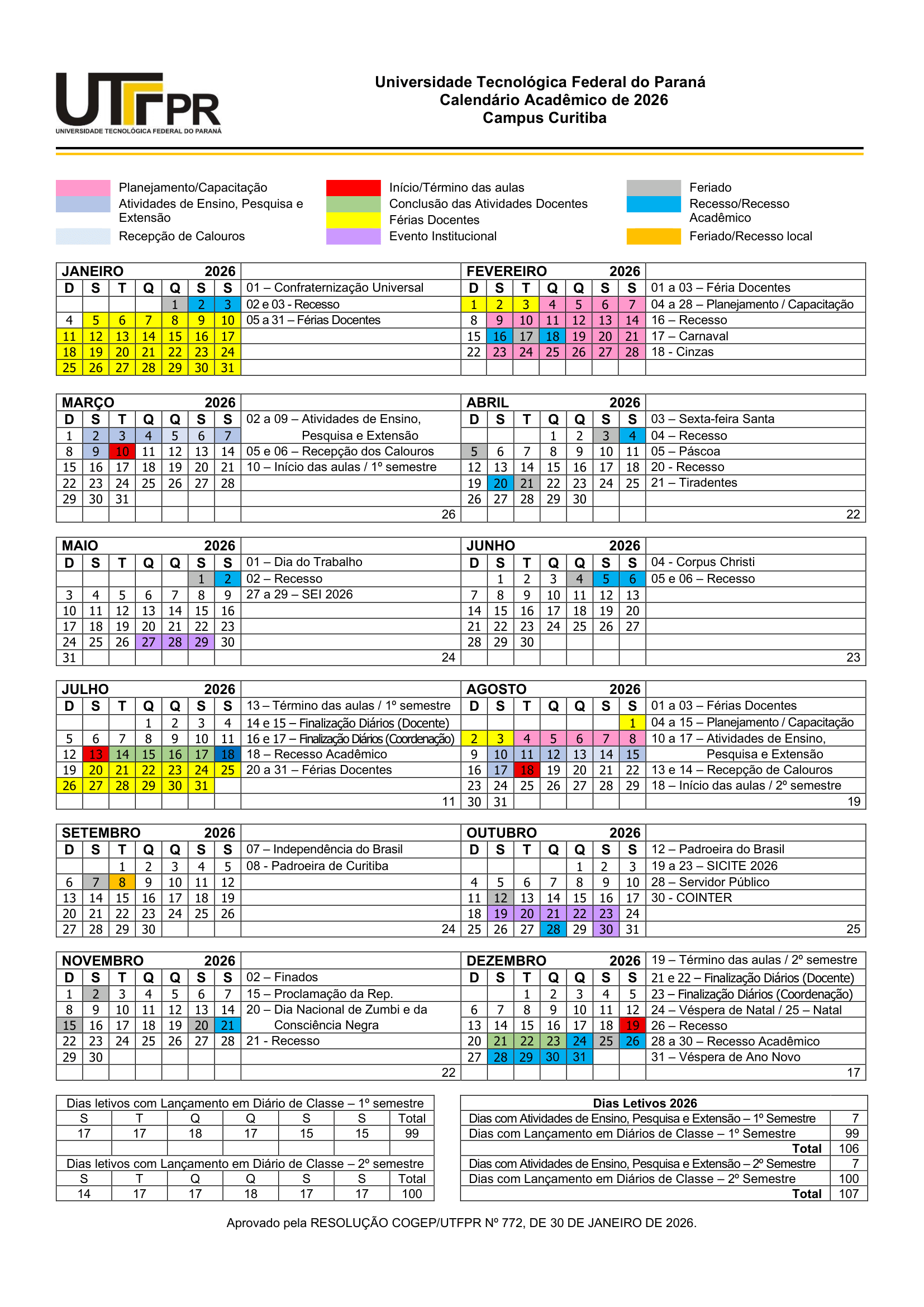
Calendário Acadêmico de 2026